CORE
FEATURES
Clash is more than a proxy tool—it's a control center for your network traffic. Its YAML-based rule system makes complex routing elegant and efficient.
Smart Rule Splitting
Fine-grained routing based on domain, keywords, CIDR, and GeoIP. Seamlessly switch between direct and proxy connections automatically.
High Concurrency & Low Memory
Written in Go with Goroutine concurrency. Uses less than 1% CPU at Gigabit speeds with a 30MB memory footprint, outperforming competitors.
TUN Transparent Proxy
Capture all system traffic via a virtual NIC. Achieve true system-wide proxying for all TCP/UDP connections without per-app setup.
RESTful API & Web Dashboard
Built-in API for browser-based dashboards (yacd/metacubexd). Switch nodes, manage groups, and monitor traffic in real-time.

BEYOND
BORDERS
Whether you are a researcher needing Google Scholar, an engineer relying on GitHub and Docker, or a gamer seeking low latency, Clash is your reliable partner.
Unlock Streaming
Netflix · Disney+ · YouTubeDev Tool Acceleration
GitHub · Docker · ChatGPTLow Latency Gaming
TCP/UDP SplittingAcademic Resources
Google Scholar · arXivMULTI
PLATFORM
Full coverage for Windows, macOS, Android, iOS, and Linux. Find the best client for your device below.
- Windows 10 / 11 Support
- One-click System Proxy
- TUN Mode Integration
- Auto-update Subscriptions
- Native Apple Silicon Support
- Quick Menu Bar Switcher
- Enhanced TUN Mode
- Compatible with macOS 12+
- Android 5.0+ Support
- VPN Transparent Proxy
- Per-App Routing
- One-click Sub Import
- iPhone / iPad Support
- High-Performance Core
- Shortcut Integration
- App Store Available
- x86 / ARM64 Support
- OpenWrt Router Deployment
- Docker Container Ready
- iptables/nftables Integration
RAW
POWER.
Native support for the most popular and secure open-source proxy protocols, meeting diverse network and encryption needs.
Explore Supported Protocols →Shadowsocks (SS) / SSR
The classic lightweight encrypted protocol. Supports AEAD and various obfuscation plugins. Mature, easy to deploy, and the top choice for beginners.
VMess / VLESS
V2Ray core protocol with support for WebSocket, gRPC, HTTP/2, and XTLS Reality. Offers superior penetration for high-censorship environments.
Trojan & Trojan-Go
Mimics standard HTTPS traffic for excellent anti-blocking capabilities. Supports WebSocket transport and CDN relay for sensitive networks.
TUIC v5 & Hysteria 2
UDP-based QUIC protocol designed for weak signals and high latency. Dramatically outperforms TCP on unstable or long-distance links.
WireGuard & Snell
Native support for WireGuard VPN, Snell v4, and standard HTTP/SOCKS5. Provides pro users with a complete suite of connection options.
OPEN SOURCE
Secure & Trusted
Open source is more than a license—it's our fundamental commitment to your privacy and network security.
Source code is fully hosted on GitHub under GPL-3.0. Anyone can audit the code to ensure there are no backdoors or data collection risks.
Clash does not collect user data, track history, or report traffic to servers. All activity is processed locally on your device.
Thousands of developers contribute to the core, rules, and docs. With over 50K GitHub stars, the ecosystem is vibrant and stable.
HOW IT
WORKS
Get started in three simple steps. Clash's powerful parser makes proxy configuration straightforward even for non-technical users.
Download & Install Client
Download the right GUI client for your OS (Windows, macOS, Android). Double-click to install and launch—no command line needed.
Import Your Subscription
Paste your YAML subscription URL into the 「Profiles」 interface and update. Clash automatically parses nodes and routing rules.
Pick a Node & Start
Choose a node in the 「Proxies」 tab (use Rule mode for smart routing). Enable 「System Proxy」 to start browsing freely.
USER
REVIEWS
Feedback from real users worldwide, proving the reliability and efficiency of Clash.
I've used Clash for over two years, and rule splitting is my favorite feature. Speed for GitHub and Docker has tripled, while domestic apps remain fast. It's truly seamless.
Using ClashX on macOS with TUN mode. All apps work without manual setup. Netflix 4K streaming is flawless. As a content creator, I'm very satisfied.
As a grad student, I rely on Google Scholar and arXiv daily. Clash's YAML config is clear and powerful. It's fully open source, so I don't worry about privacy.
GET
CLIENTS
Multi-platform GUI clients with intuitive node management and real-time traffic monitoring make proxy configuration simple.
LATEST
ARTICLES
Clash tutorials, setup tips, and latest releases to help you master your proxy utility.

Clash Subscription Link Management: Auto-Update, Conversion, and Multi-Node Tips
Keep subscription URLs secure, refresh on a sane schedule, convert formats transparently, and pair proxy-providers with policy groups for smooth node switching.
Read Full Post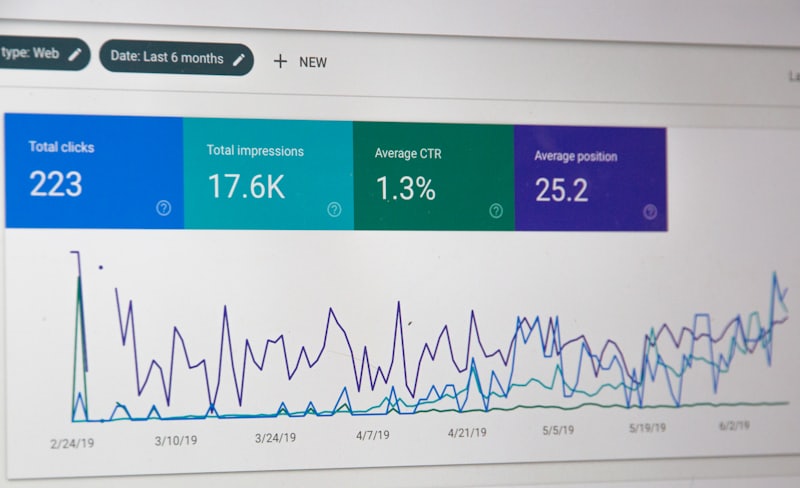
Clash Rule-Based Routing Deep Dive: Custom Policy Groups and Pinpoint Traffic Control
Design proxy-groups for real workflows, order rules for predictable first-match routing, and combine RULE-SET providers with GEOIP and domain exceptions so each connection lands on the right outbound.
Read Full Post
TUN Mode Guide: System-wide Proxy for Windows/Mac/Linux
In-depth look at virtual NIC architecture. Step-by-step transparent proxy setup to fix UDP issues and accelerate gaming.
Read Full PostReady to Start?Free Download
The choice of thousands. Open source, free, and high-performance. Take control of your network freedom today.
Download Client NowFAQ
FAQ
Is Clash truly free?
Yes. The Clash core engine and major GUI clients are open-source software under GPL-3.0. They are free to use with no hidden fees or ads.
Why can't I access sites after installing?
Clash is just a tool; it needs server nodes to work. You need to buy a subscription service or set up your own server to use it.
What is the difference between Mihomo and original Clash?
Mihomo (Clash.Meta) is an enhanced fork. It is fully compatible with standard YAML but adds TUIC, Hysteria2, WireGuard, TUN mode, and Reality support.
Can I use Clash on iPhone / iOS?
Yes, but use compatible clients like Stash or Shadowrocket from the App Store. Both use Clash-compatible engines for subscription import.
Global vs. Rule vs. Direct: Which should I use?
Rule: Smart routing based on your config (Direct for domestic, Proxy for international).
Global: All traffic goes through your selected proxy node.
Direct: Disables the proxy for all connections (bypass mode).
How to import a Clash subscription URL?
On Windows: Open Clash → Profiles → Paste your URL → Press Enter. We recommend enabling Auto-Update to keep your nodes current.
Does Clash support TUN mode and UDP proxying?
Yes. Mihomo supports full TUN mode for system-wide TCP/UDP proxying. This is essential for gaming and VoIP. Windows users will need the Wintun driver.
Why do some domestic apps break with Clash?
Some apps detect proxies. Use **Rule** mode, add DIRECT rules for the app domain, or use updated rulesets like Loyalsoldier to fix compatibility.